
TABLE OF CONTENTS
Introduction
This article explains how to use the Ardens QOF Time Sensitive resources to identify patients who require action within specific QOF timeframes and monitor progress towards achievement. By the end of this article, you will be able to find eligible patients, record the required activity, and track completion before deadlines are missed.
Background
Some QOF indicators must be completed within a specific timeframe to count towards achievement. If the required activity is not completed within the specified period, the indicator cannot be achieved for that patient.
The current QOF time sensitive indicators are:
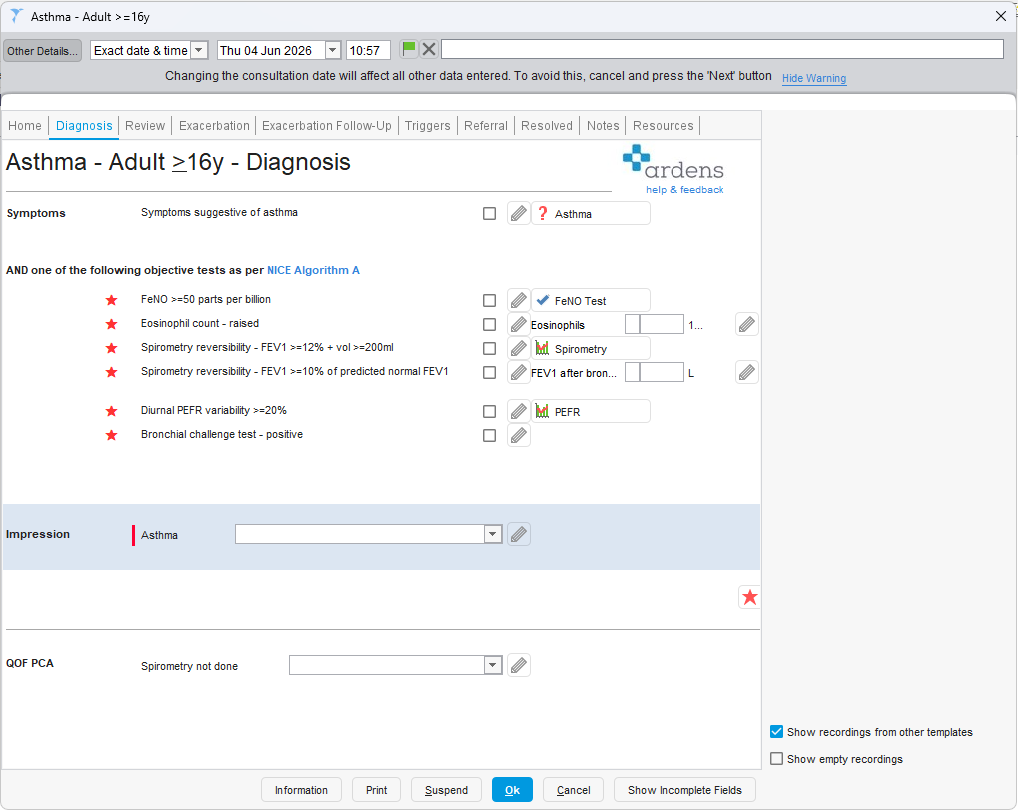
- AST014 (Asthma) – Patients newly diagnosed with asthma require an objective diagnostic test within 3 months before or after diagnosis.
- DM014 (Diabetes) – Patients newly diagnosed with diabetes require a referral to structured education within 9 months of diagnosis.
- HF008 (Heart Failure) – Patients require an echocardiogram to confirm diagnosis within the 6 months prior to diagnosis.
How Ardens Can Help
Ardens provides a range of resources to support practices with:
- Identifying patients approaching QOF deadlines
- Prioritising follow-up activity
- Recording activity using the relevant clinical templates
- Monitoring progress towards achievement
- Highlighting missing or incorrect coding that may affect QOF performance
How to Access the Resources
Reports
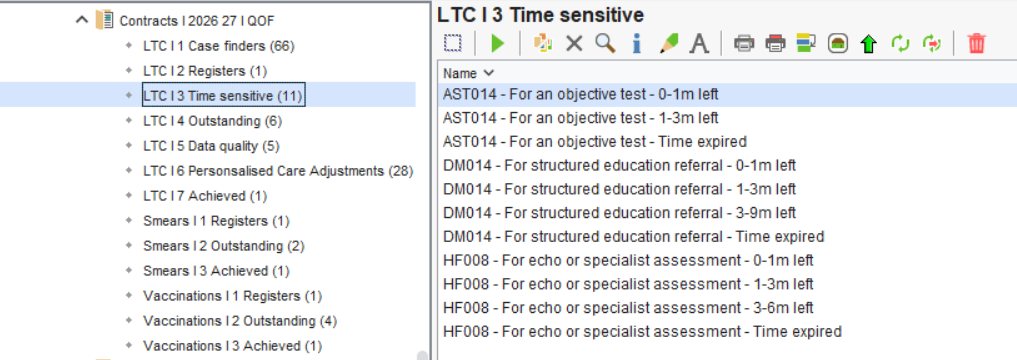
- Go to Clinical Reporting
- Expand the Arden's Ltd folder
- Select Contracts I 2026 27 I QOF
- Select LTC | 3 Time Sensitive
Templates
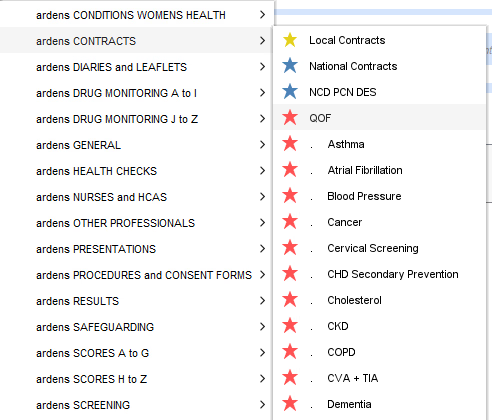
- Click Auto-Consultation
- Select ardens CONTRACTS > QOF
- You can also access the specific condition QOF templates from the list
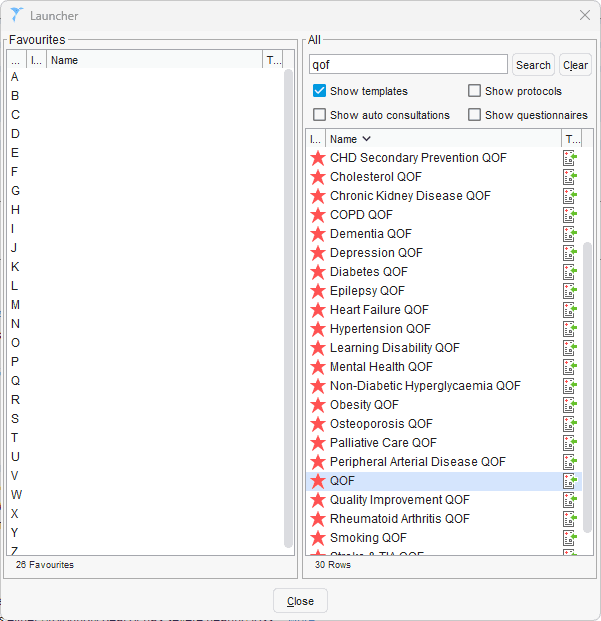
Alternatively, you can use the F12 Launcher:
- Press F12 on your keyboard
- Type QOF in the search field
- Any template with a Red Star will be an Ardens QOF template
- Double-click on the template of your choice to open it
- You can also drag and drop a template to the left-hand Favourites section for easy access later on
Identify Patients Requiring Action
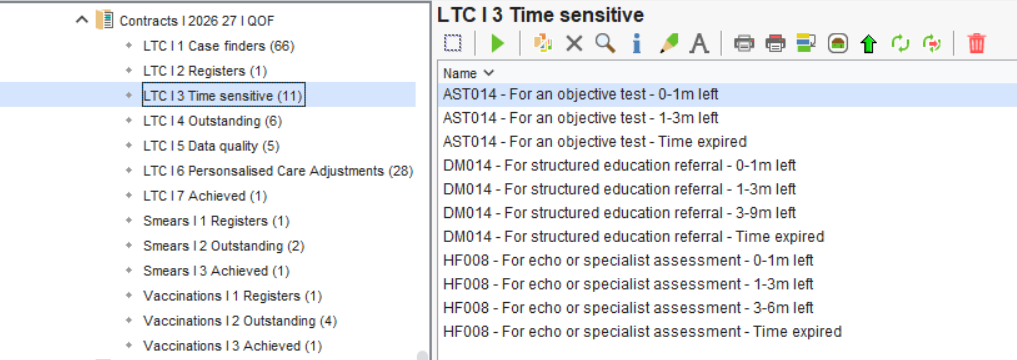
The Time Sensitive reports help practices identify patients who require action before a QOF achievement deadline is missed. Each condition folder follows a consistent structure, making it easy to find patients who remain eligible for achievement and prioritise follow-up activity.
Within each folder, you will find reports that identify:
- Patients who still have time to complete the required criteria
- Patients approaching their achievement deadline
- Patient with missing or incorrect coding that may affect achievement
These reports can be reviewed regularly throughout the year to ensure eligible patients are identified and managed within the required timeframe.
 Please note: The Ardens Time Sensitive searches are designed to identify patients who still have time remaining to achieve the indicator. As a result, patient counts may differ from the official GP Contract searches.
Review and Record Activity
Once a patient has been identified, review their record to confirm whether the required activity has already been completed, is scheduled, or still requires action.
Then:
- Check for existing coded activity
- Arrange any outstanding investigations, referrals or reviews
- Record completed activity using the relevant Ardens template
- Re-run the reports to confirm the patient is no longer outstanding
FAQs
Why do the Time Sensitive searches differ from the integrated QOF reports?
The Ardens Time Sensitive searches are designed to identify patients who still have time remaining to achieve the indicator and may therefore differ from the integrated QOF reports within your clinical system. In SystmOne, this may result in differences when compared to QOF Reporting.
Why can't I find a patient in the Time Sensitive reports?
The patient may have already achieved the indicator, no longer be within the achievement timeframe, or may not meet the eligibility criteria for that indicator.
How often should I review the Time Sensitive Reports?
It is recommended that practices review these reports regularly throughout the year. This can help identify patients approaching a deadline and reduce the risk of missed QOF achievement opportunities.
Can I use these reports to identify coding issues?
Yes. In addition to identifying patients who require action, the Time Sensitive folders include searches that can help highlight missing or potentially incorrect coding which may affect QOF achievement.
Additional Support
- Watch the GP Contract 2026/27 Update Webinar for a demonstration of the resources - EMIS / SystmOne
- Book training for your GP Practice, PCN or ICB
- Contact our Support Team for support in real time